Why SteelSeries Arctis 7 Not Turning On?
Learn why your SteelSeries Arctis 7 headset isn’t turning on with common causes and simple troubleshooting steps to help fix power, connection, or battery issues fast.
Arctis 7 is a popular wireless gaming headset, which has a good sound quality, comfort, and good performance. Nonetheless, there is a vexing problem with some users, who have the headset fail to start. When this occurs, the gaming, streaming or online communication may be interrupted and many may not know how to fix the issue. The first step in regaining the functionality of your headset is understanding what could have caused the problem.
Majority of the cases of the Arctis 7 not turning on are associated with battery loss, software glitches, wireless connection problems or hardware failures. In an infrequent case, it could be due to physical damage or an imperfect part. With the help of finding and troubleshooting every possible cause one by one, you may end up repairing your headset on your own in a few minutes, which saves time and avoids any extraneous stress.
Battery Is Fully Drained
A flat battery is the most widespread cause of the Arctis 7 failing to start. The wireless headsets are dependent on internal rechargeable batteries which could run out of charge after a few days or weeks when not in use. After depleting the battery, there can be no reaction after pressing the power button. It is important to connect the original USB charging cable to a power source in order to connect the headset.
Give the headset time to charge at least 30-60 minutes and then try to switch it on. When charging, the LED indicator must show red and when fully charged, it must show green. Insufficient charge can occur due to the use of low-power USB ports or damaged cables. This is because in most cases, the problem of the headset not turning on is solved by ensuring that the headset is powering well.
Faulty Charging Cable or Port
The headset may fail to turn on because of a broken or faulty charging cable. Check the USB cable on whether it is worn, frayed or bent. To identify whether the original cable is faulty or not, it is possible to test the headset with a different known-working cable. Also, examine the charging port of the headset, whether there is debris or damage.
The electrical connection can be blocked due to the presence of dust or lint in the port. Compressed air or a soft brush cleaning of the port may be useful in regaining proper contact. Do not put anything metallic in the port, this will lead to permanent damage. Secure and clean connection can guarantee successful charging and can address power problems in many cases.
Resetting the Headset
The headset can also go dead due to minor software glitches or momentary freezes. These errors are usually cleared by doing a reset. The Arctis 7 can be reset by pressing the power button and holding it about 15 seconds until the LED flashes. Unrelease the button and then try to switch the headset on.
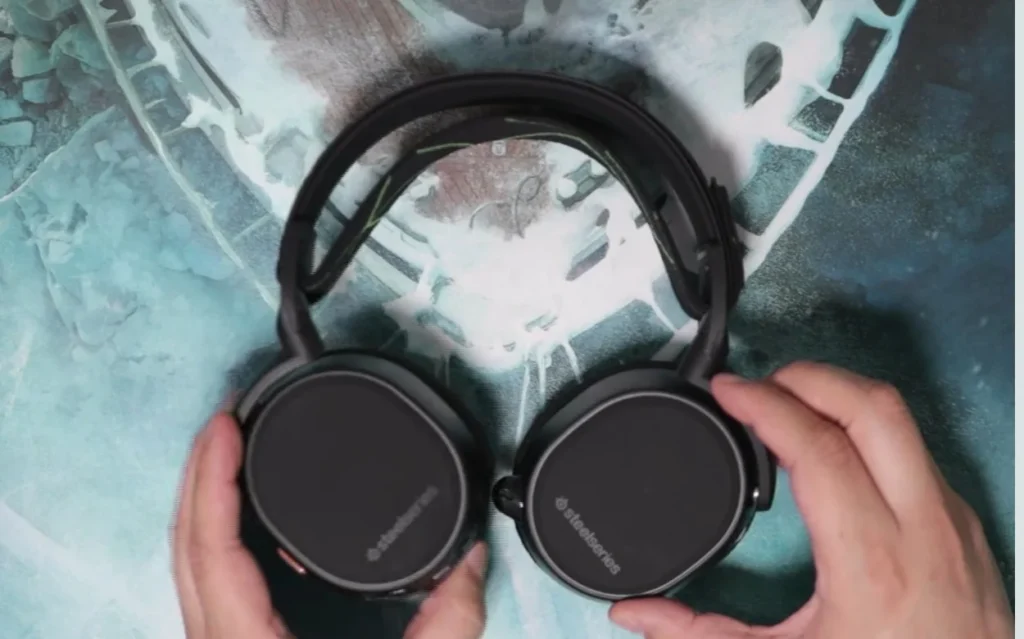
Restarting is used to recover normal functioning following bugs in the firmware, extended idleness, or sporadic failure to connect. In case the headset boots up following a reset, it is recommended to observe the behavior of the device and update the firmware to avoid glitches in the future. Consistent performance and stability can be ensured by regular resets.
Firmware Issues
The incompatibility of the headset with the old or damaged firmware may disrupt the connection or power-on of the headset. Steelseries update itself frequently, improving performance and addressing bugs. A connection of the Arctis 7 to a computer via USB and opening the Steelseries Engine or Steelseries GG software will give you the opportunity to check whether some firmware updates are available.
The problems that cause the headset to seem unresponsive can be solved by installing the latest firmware. Although the headset may be switched off every now and then, updating will guarantee maximum functionality, battery efficiency, and wireless consistency. Another preventive action that lowers the chance of a repeat of such issues is ensuring that firmware is updated.
Wireless Interference or Connection Issues
Given that the Arctis 7 is a wireless headset, it may not be able to turn on or be detected because of interference or transmitter problems. Make sure to ensure that the USB transmitter is firmly inserted in your machine and switch USB ports as needed. Eliminate other devices that can create wireless interference, e.g. routers or Bluetooth devices.
In case the headset is not responding, re-pair it with the transmitter. Press the pairing buttons on the headset and the dongle until the LED shows that it has been connected. Apparent power problems can be solved by restoring a stable wireless connection and guaranteeing normal functioning.
Power Button or Internal Hardware Problems
A faulty power button can mean that the headset cannot be turned on. Ensure that the button is free and unblocked and press it hard yet softly. In case the button is loose or unresponsive, it can be necessary to repair it professionally. Trying to perform self-repair will nullify the warranty and result in additional damages.

In other instances, it may be caused by internal hardware problems like a defective battery, broken circuitry or liquid contact. Contact SteelSeries support to seek help with diagnosis, repair or replacement. Professional assessment is a guarantee of safe performance of functionality without the threat of further issues.
You May Also Like
- Top 10 Best Gaming Headset
- Is Steelseries Arctis Nova 3X Good?
- Is the Cooler Master MH752 USB Gaming Headset Good?
- Audio-Technica ATH-M50xSTS not turning on?
FAQs About Why SteelSeries Arctis 7 Not Turning On?
Conclusion
The fact that the SteelSeries Arctis 7 is not turning on may be due to various reasons such as a depleted battery, broken charging cables, a malfunction in the software, wireless interference, or a software malfunction. These possible causes can be systematically troubleshooted, beginning with charging, resetting, and connection checks, and may be repaired in a few minutes.
When it comes to issues that are here to stay, SteelSeries provides professional services to fix issues and offer warranty. Today, your Arctis 7 can deliver a great audio experience and ensure a high level of wireless connectivity even many years down the line when taken care of, updated with the latest firmware, and looking after the wireless connectivity.