How to Reset HyperX Cloud Flight S?
Learn how to reset HyperX Cloud Flight S headset with easy step-by-step methods, troubleshooting tips, and personal experience for smooth gaming performance.
Quick Reset Steps
- Turn Headphone off
- Disconnect USB cable
- Press reset button
- Hold for five
- Reconnect USB cable
- Test microphone function
The HyperX Cloud Flight S is a high-quality wireless gaming headset that targets PC, PlayStation 5, and Xbox Series X players. Although it is well-designed and has a great battery life, there are certain connection, audio, or microphone problems with some users. The quickest way of fixing these issues is often to reset the headset. This manual will give you detailed step by step instructions to get your Cloud Flight S back to its normal operation.
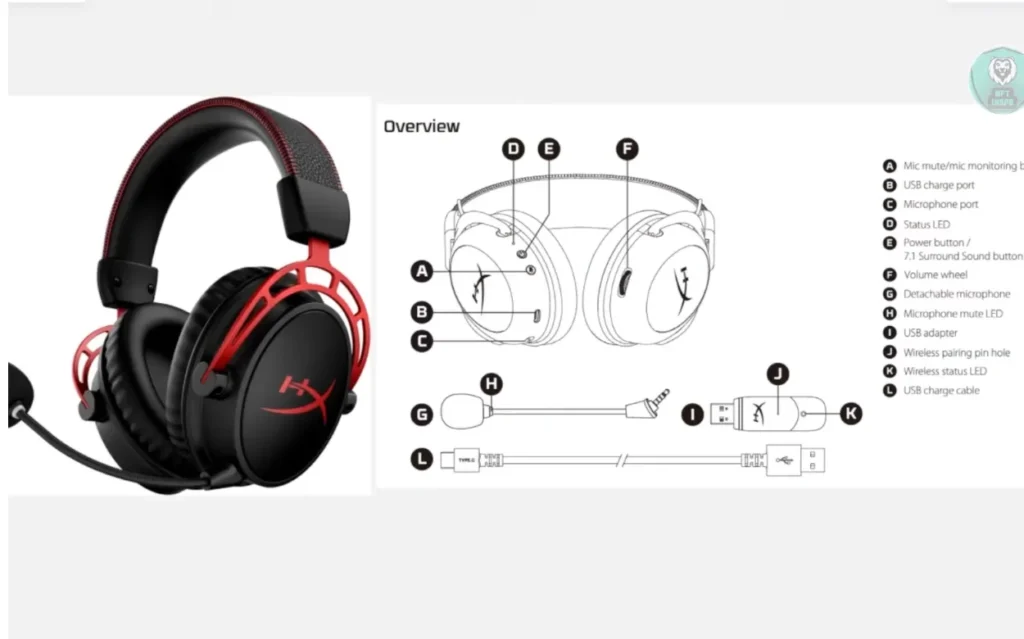
A reset can fix the sound and mic issues of online games such as Fortnite, Call of Duty, Apex Legends, and Valorant. These steps will guarantee that you do not spend much time on downtime, and you can resume competing or playing casually within a short time. A good reset will allow the long-play gaming sessions of the headset.
When Should You Reset HyperX Cloud Flight S?
The solution suggested to use when you have a persistent audio or connectivity problem is to reset the Cloud Flight S. The most frequent problems are the failure of the headset to connect with your PC, PS5, or Xbox, the mic not working during Discord or in-game chat or losing wireless connection. The first troubleshooting option should be to reset the headset in case it freezes or behaves in an erratic manner.
A reset assists in regaining normal operation of the headsets. Players that use games such as Rocket League, FIFA 23, and Minecraft usually report an instant increase in sound quality and the ability to use the microphone better. This is an approach that is user-friendly and does not require any troubleshooting measures, as it allows you to continue playing without any delays and audio malfunctions.
Hardware Reset (Recommended)
The most sure way of the HyperX Cloud Flight S is the hardware reset. The first thing is to switch off the headset and remove it off the USB charging cable or wireless dongle. Find the little reset button on the charger. Hold the button and press 5 seconds, release. Plug the headset again into your system and switch it on.
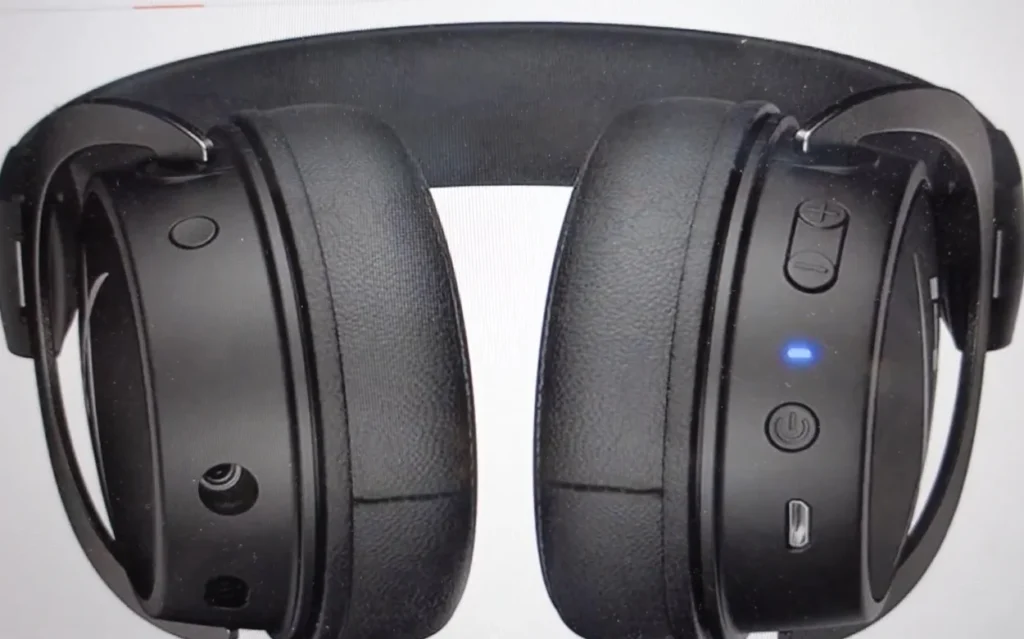
Sound, mic, and connection problems are fixed using this approach. Competitive games such as Valorant, Fortnite, and Apex Legends are games which players have reported to perform better. A hardware reset is quick, efficient and harmless so it is the most suitable method of restoring the functionality of the headsets without disturbing the individual settings and profile.
Method 2: Dongle Re-Pairing
In case the hardware reset does not help solve the problem completely, another option is the dongle re-pairing procedure. Unplug the wireless dongle into your computer or a game console and switch off the headset. Put the power button down 6 seconds to go into pairing mode and reconnect the dongle. Most of the wireless problems will be solved as the headset will automatically re-pair.
The technique is specifically beneficial when it comes to such games as Call of Duty Warzone, Fortnite, and Rocket League, where constant sound and clear communication are essential. Make sure that the headset is well charged and that the firmware is up to date. Restoring wireless connection and good use of the microphone can be attained through re-pairing.
Software and Firmware Reset (Optional)
There are some problems that can be connected with software or firmware. To update the HyperX NGENUITY software or to reset the settings of the headset, open the software on your PC. Internal configuration problems and sound optimization to such games as FIFA 23, Minecraft, and Valorant can be resolved by installing updates or running a software reset.
Although software reset cannot substitute hardware reset, it can optimize the sound quality of mics, volume, and sound settings. With the software, you are also able to adjust equalizer settings and tailor the audio of your headset to a more in-game experience, particularly in competitive multiplayer games.
My Personal Experience
Personally, I would reset my HyperX Cloud Flight S when the mic would break down during a Discord call and during Apex Legends gameplay. Doing the hardware reset and re-pairing the dongle allowed full functionality to be restored. On games such as Valorant, Fortnite, and Rocket League, sound and mic were found to be clear and allowed an uninterrupted communication during a multiplayer game.
The next step was to charge up the headset after the reset and update the headset. Call of Duty and FIFA 23 provided a smooth and uninterrupted gameplay. This was a quick, stable and user-friendly process that guaranteed a stable performance when playing long games without any glitches or dropouts.
What to Do After Resetting
Having reset, reconnect your headset to PC, PS5, or Xbox Series X. Check the working of the mic and the quality of the sound and volume in such games as Fortnite, Call of Duty, and Valorant. Adequate after reset configuration ensures seamless and continuous gaming experiences.
Constant maintenance and updating of firmware enhances the life of the headset. These steps will make sure that your HyperX Cloud Flight S will be in top condition when playing competitively and in casual games, providing high-quality audio and communication in all major games.
You May Also Like
- Top 10 Best Gaming Headset
- Is Corsair Hs75 Xb Wireless Good?
- How to Reset EPOS GSP 500?
- Is Razer Kraken V3 Hypersense Good?
FAQs About How to Reset HyperX Cloud Flight S?
Final Words
In case your HyperX Cloud Flight S has connection, microphone, or sound issues, reset is the quickest and most effective. The majority of users claim that after using these steps, the functionality is fully restored. The headset is also suitable in games such as Valorant, Fortnite, Apex Legends, and FIFA 23 because of the maintenance and easy operation after resetting. See our complete review of HyperX Cloud Flight S to get more tips and purchase advice.